Skip to content
TASK Virtual Assistant, LLC
  • Cybersecurity
    • Small Business Cybersecurity: A Practical Guide to Protect Your Business
  • Home
  • About
    • The Driving Force
    • Testimonials
  • Packages
  • Blogs
  • Resources
    • Productivity & Time Management for Small Business Owners
  • Contact Us
    Contact Us

STOP TRYING TO DO IT ALL!


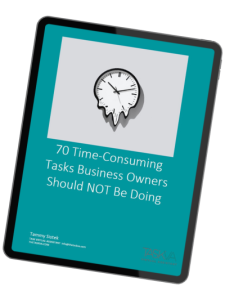
Discover 70 Tasks you can give to your Virtual Assistant now!


Grab your FREE checklist and join the growing community of business owners who have already embraced this transformative tool.

Experience the freedom and productivity you deserve.


Say goodbye to the stress of overwhelming paperwork and say hello to a more fulfilling and client-focused professional life.

Download Now: 70 Tasks You Can Outsource

Follow Us:

Get In Touch

  • Info@thetaskva.com
  • 12007 15th Avenue | PO Box 564211 College Point, NY 11356-4211

Important Links

  • Who We Are
  • About Company
  • Services We Provide
  • Privacy Policy
Copyright © 2019 - 2026 TASK Virtual Assistant, LLC | All Rights Reserved

Phishing is one of the most common ways attackers gain access to business systems and sensitive information.

A phishing attempt usually arrives as an email that appears legitimate. It may look like it comes from a bank, software provider, shipping company, or even a coworker. The message often creates a sense of urgency—asking you to click a link, confirm account details, or download an attachment.

Once the link is clicked or the attachment is opened, the attacker may capture login credentials, install malicious software, or redirect the user to a fake login page designed to steal passwords.

Because phishing emails are designed to look convincing, even experienced professionals can be caught off guard. This is why awareness and training are such important parts of cybersecurity.

➡ Want to learn how to spot a phishing email? Read this: Vishing, Phishing, and Smishing

Passwords remain one of the most common security vulnerabilities in small businesses.

Many people reuse the same password across multiple websites or choose passwords that are easy to remember. Unfortunately, this also makes them easier for attackers to guess or crack using automated tools.

If one compromised website exposes a password, attackers will often try that same password across many other services—including email accounts, cloud storage, and financial platforms.

Using unique, complex passwords and enabling multi-factor authentication dramatically reduces this risk.

Ransomware is a type of malicious software that blocks access to files or systems until a payment is made to the attacker.

Once installed on a computer or network, ransomware can encrypt important business documents, customer data, or financial records. Victims are typically presented with a message demanding payment to restore access.

Even if the ransom is paid, there is no guarantee the attacker will actually unlock the files. For many small businesses, the downtime and recovery costs can be more damaging than the ransom itself.

Maintaining secure backups is one of the most effective defenses against ransomware.

➡ Want to learn how to protect your business? Read this: Ransomware Reality Check

Public Wi-Fi networks—such as those in coffee shops, hotels, and airports—can expose business data if proper precautions aren’t taken.

Unsecured networks may allow attackers to intercept data transmitted between a device and the internet. This could include login credentials, emails, or other sensitive information.

For business owners and remote workers, it’s important to avoid accessing sensitive accounts on public networks whenever possible or to use a secure VPN connection.

➡ Want to learn how to keep your devices safe? Read this: Travel Smart

Terms and Conditions - Privacy Policy