
Business Operations

Practical strategies to help small business owners organize workflows, improve processes, and manage daily operations more efficiently.

create capacity without losing control

Delegation Made Easy: Create Capacity Without Losing Control

Tammy

Running a business has a funny way of filling every available minute.

A client needs something. An invoice needs attention. Your inbox is growing. A website update has been sitting on the list for two weeks. Someone needs an answer before they can move forward.

None of these things may be difficult on their own. Together, they consume capacity.

That is why delegation matters.

Not because successful business owners should hand off everything they possibly can, but because your time and attention are limited resources. When too much of either is tied up in work that someone else could competently handle, there is less room for the work that actually requires you.

The question isn't simply, “What can I delegate?”

A better question is: “What deserves my time, and what simply needs to get done?”

Delegation is about capacity, not escape.

Delegation is sometimes framed as the solution for an owner drowning in work.

Wait until you're overwhelmed. Find help. Hand off a pile of tasks. Feel better.

Personally, I would rather not wait for the drowning part.

Good delegation is an operational decision. It creates room before every available hour is spoken for.

That room might be used to work with clients, develop a new service, tackle a project you've postponed, or finally look at the part of the business that has been held together with crossed fingers and coffee.

And sometimes you don't need to fill the room at all.

Capacity gives you options.

How Delegation Creates Capacity

Small business owners are Jacks and Janes of all trades. But that doesn't mean you should do everything. Here is a short list of how delegation can help your business.

  • Maximize Productivity, Minimize Overwhelm
    As a business owner, your time is your most valuable resource. The more time you spend handling administrative work, the less time you have to grow your business, connect with clients, or strategize for the future. Delegating repetitive tasks like scheduling, email management, and client communications gives you more time to focus on what matters most.
  • Free Up Time for Client Interaction
    Client relationships are the backbone of your business. Let go of the behind-the-scenes work like data entry, report generation, and appointment scheduling, and free yourself up to nurture your client relationships and grow your business. The more time you have to focus on your clients, the more successful your business will be.
  • Scale Your Business Efficiently
    As your business grows, so does the workload. Delegating to a Virtual Assistant, for example, allows you to scale without the headaches of hiring and training multiple employees. You can focus on strategic decisions, while your VA takes care of the operational side.

Start With the Work, Not the Job Title

One of the easiest ways to start is by asking, “Where do I need help?”

What keeps repeating?
What regularly pulls you away from higher-value work?
What takes your time but doesn't require your particular expertise?
What gets postponed because it never becomes the loudest thing on the list?
What are you doing simply because you've always done it?

Those questions usually reveal better delegation opportunities than trying to build a job description from scratch.

For example, support might include:

  • Administrative Support: Calendar management, digital organization, documentation support, and research.
  • Marketing Support: Newsletter and blog research, content creation, managing social media engagement, market research for campaigns and trends
  • Client Support: Onboarding/offboarding, routine follow-ups, preparing client materials
  • Accounting & Bookkeeping: Invoice creation and tracking, expense organization, even preparing basic financial documents and reports
  • Project Management: Tracking deadlines and milestones, coordinating tasks between team members, updating project timelines and tracking progress

You may not need help in every category, and you probably shouldn't start by delegating them all at once.

The point is to identify where support would create the most useful capacity.

Don't delegate a mess and expect magic

This is where delegation and systems meet.

A virtual assistant can help you organize a messy process. In fact, identifying what isn't working and helping create a better process may be part of the engagement.

But there is a difference between saying, “This process is a mess. Can you help me straighten it out?” and handing someone a mess while expecting them to somehow know the unwritten rules in your head.

Give Context
Explain the outcome you're trying to achieve, and give them the access and tools they need. If you have examples, show them. If the process needs work, say so.

The Right Tool for the Job
A task management platform such as ClickUp(opens in new tab) can make ownership, deadlines, and progress visible. Shared cloud storage can keep current documents accessible. A password manager(opens in new tab) can allow credentials to be shared more safely. Microsoft 365 or Google Workspace can support collaboration without emailing five versions of the same file back and forth.

And don't forget, AI can help too.

It can summarize information, help organize research, create first drafts, or reduce repetitive work. But AI doesn't replace clear ownership. Somebody still needs to know the desired result, review important output, and make the decisions that require human judgment.

Remember this: the tool itself is not the important part. Use whatever system your business will actually maintain. If adding a tool creates three more steps and nobody uses it after Thursday, congratulations. You have purchased another problem.

Give Ownership, Not Just Instructions
This is often where delegation begins to create real capacity. At first, you may need to provide detailed instructions. That is normal, but the goal is ownership, not lending your brain out every Tuesday.

If someone handles a recurring responsibility, help them understand:

• What triggers the work
• What the finished result should look like
• Which decisions they can make ⇐ Important
• Which situations should come back to you ⇐ Important
• Where the necessary information lives
• What happens next

That is how a task becomes ownership.

Let Capable People Be Capable
Over time, you'll learn to rely on them more and more, which will free up your time for strategic growth. But warning: this part can be harder than finding the right person.

Someone else may not organize the spreadsheet exactly the way you would. They may write an email differently. They may find a faster way to complete a process you've done the same way for six years.

Different isn't automatically wrong.

Delegation is the ultimate form of letting go; it trades the comfort of control for the power of collective growth.

Set the standard. Be clear about the non-negotiables. Review work when appropriate.

Then leave room for expertise and judgment.

Need Help Figuring Out What to Hand Off?

If you're not sure whether you need ongoing support or just need to straighten out the systems and workflows that are making everything harder, TASK Virtual Assistant offers both.

A Business Tune-Up can help identify where work is getting stuck and what needs attention first. For businesses that need reliable ongoing help, Business Operations Support provides hands-on operational support to keep the day-to-day moving.

Explore TASKVA's support options and choose the level of help that fits where your business is right now.

Delegation Made Easy: Create Capacity Without Losing Control Read More »

Why delegation fails

The Capacity Trap: Why Delegation Fails

Tammy

You hired someone to help take the load off; your calendar finally opened up. Now you can start investing your time in your clients.

Instead, your day is now filled with questions.

“Where is that file?”

“Which version should I use?”

“Can you approve this?”

“What do you usually do when this happens?”

“Who should I send this to?”

And suddenly you are not just doing your own work. You are explaining, checking, approving, correcting, and occasionally thinking it would have been faster to do the darn thing yourself.

That is the capacity trap.

Delegation can absolutely create breathing room in a growing business. But handing someone a task is not the same as making the work transferable. If the process, decisions, information, and authority still live with you, the business still depends on you.

The task just has a new set of hands.

Delegation Is Not the Same as Capacity

Capacity is not simply having more people available to do more work.

It is having enough room in the business for work to move without requiring your attention at every turn.

That distinction matters.

You can hire three people and still have no capacity if all three need you before they can move forward.
You can automate half a workflow and still be the bottleneck if the automation stops every time an exception appears.
You can hand over a recurring task to a capable person and still spend an hour every week answering the same questions.

More help does not automatically mean more room. Sometimes it just creates more people waiting for you. And that is usually when a business owner starts thinking the delegation itself failed.

Maybe I hired the wrong person.
Maybe nobody can do this the way I do.
Maybe I should take it back.

Sometimes that is true. Not every hire or delegation decision works.
But before you reclaim the task, look at what you actually handed over.

Did You Delegate the Task, or the Ability to Complete It?

There is a big difference between saying, “Please handle client onboarding,” and giving someone what they need to actually own client onboarding.

To own the work, they may need:
• A clear starting point.
• The current process.
• Templates and files.
• Access to the right systems.
• Examples of what good work looks like.
• Decision boundaries.
• An escalation point for true exceptions.
• Authority to make routine decisions without asking permission every time.

If those pieces are missing, you did not really delegate the process. You delegated individual steps while keeping the thinking. And the "thinking" part is often the part that consumes your capacity.

This is why a seemingly simple handoff can turn into a stream of interruptions. The person doing the work is not necessarily incapable. They may be trying to operate with half the information.

Think about asking someone to make your favorite recipe without giving them the recipe.

You tell them the ingredients. You point them toward the kitchen. Then every few minutes they have to ask:

“How much?”
“What temperature?”
“Is this what it’s supposed to look like?”
“Do I add this now?”

Eventually, both of you are irritated.

That is not delegation. That is remote-control cooking.

And a surprising number of business delegations work exactly like that.

The Owner Approval Loop

Another capacity killer is the approval loop: Work has technically been delegated, but everything still requires your sign-off.

  • The email is drafted, but you approve it.
  • The invoice is prepared, but you review it.
  • The client's request has been handled, but the response is waiting for you.
  • The social post is ready, but it sits in a queue until you look at it.
  • The purchase is routine, but somebody needs your okay.

Some approvals are necessary. Financial controls matter. Sensitive client decisions matter. Major commitments should not be made because someone felt adventurous on a Tuesday.

But if you are approving every routine decision, you have not created capacity. You have created a waiting room.

The better question is not, “How do I stop being involved?” But rather, “Where does my involvement actually add value?”

Maybe you approve expenses over a certain amount, not every expense.
Maybe standard client requests can be handled from an agreed process while unusual situations come to you.
Maybe content within established guidelines can be scheduled without the CEO's final blessing.

Good delegation does not remove oversight. It makes oversight intentional.

Your Team Should Not Need to Borrow Your Brain

This is where documentation earns its keep. And I don't mean a 47-page SOP nobody will ever read, or a binder that becomes obsolete before the ink dries. I mean useful documentation.

A checklist.
A short process.
A decision tree.
A template.
A screen recording.
A few examples.
Notes explaining what happens when the normal process is not enough.

The goal is to move repeatable knowledge out of your head and into the business.

I talked a lot about consistency last month, and reducing the amount of work that depends on memory. This month, I take that idea one step further: if you want someone else to carry the work, the information they need cannot live only with you.

This applies to your AI too. AI can draft, organize, summarize, compare, and help with repetitive work. But it cannot magically understand the unwritten rules of your business.

If your instructions change every time, if your files are scattered, or if you cannot explain what a successful result looks like, AI may simply produce confusion faster.

People and technology both work better when the business gives them something solid to work from.

Delegation Also Requires Letting Go of the Method

Now it may get uncomfortable.

Sometimes the process is documented. The person is capable. The boundaries are clear. And the owner is still hovering. But not because the work is wrong.

Because it is different.

This is one of the hardest parts of delegation for people who built a business by doing everything themselves. You know exactly how you would write the email, organize the spreadsheet, structure the folder, or handle the follow-up.

But if the result meets the standard, does the route have to be identical to yours?

There is a difference between protecting quality and protecting your personal method, and if you correct every harmless difference, your team learns something very quickly: wait for you.

Then we are right back in the capacity trap.

Define the result. Define the non-negotiables. Give feedback when it matters. But leave some room for capable people to bring their own judgment to the work.

Otherwise, you have delegated labor without delegating ownership.

Before You Delegate More, Fix the Return Trips

If work keeps bouncing back to you, do not immediately assume you need another person. Watch the return trips.

For one week, notice every delegated task that comes back to your desk and why.

  • Was information missing?
  • Was ownership unclear?
  • Did the person lack access?
  • Was there no documented process?
  • Did they need a decision only you are authorized to make?
  • Did they need approval because you require approval?
  • Was this a genuine exception?
  • Or did they simply need reassurance because they have not been given enough room to decide?

Those answers tell you much more than a generic “delegate more” checklist ever will.

If ten questions trace back to the same missing process, fix the process.
If everything waits for approval, rethink the approval threshold.
If nobody knows who owns the next step, clarify ownership.
If the same information has to be explained repeatedly, document it once.
If the work genuinely requires your expertise, keep it.

That last one matters.

The goal is not to remove yourself from your own business.
The goal is to stop spending your energy where your presence is not necessary.

What Capacity Actually Looks Like

Real capacity is quieter than people expect.

It is not necessarily an empty calendar or a four-day workweek. It looks like:

  • Work continuing while you are in a client meeting.
  • Someone solving a routine problem without waiting for you.
  • Opening your inbox and finding that an issue was handled correctly instead of finding six messages asking what to do.
  • Taking a day off without preparing everyone as though you are leaving civilization.
  • Being able to focus on a complicated decision because twenty small decisions did not follow you into the room.

And yes, it can eventually mean taking on more clients, pursuing a new opportunity, developing a new service, or growing the business.

But growth is not the only reason to create capacity. And sometimes the best thing you can do with newly created capacity is not fill it immediately.

Leave some room.
Think.
Take lunch without your laptop.
Work on the part of the business you have been postponing for six months.

Capacity gives you choices. That is the point.

A Better Way to Think About Delegation

Instead of asking, “What can I get off my plate?” start with:

“What would need to be true for this work to move without me?”

That question changes the conversation.

Maybe the answer is documentation.
Maybe it is clearer authority.
Maybe it is better access.
Maybe it is training.
Maybe the workflow itself needs to be simplified before anyone else inherits it.

And sometimes, the answer might be that you need another set of capable hands.

But now you are not throwing work over the wall and hoping capacity appears on the other side.

You are creating the conditions for delegation to work.

The Capacity Trap Is Fixable

If you have delegated and still feel like the center of every process, it does not mean delegation was a mistake. It means you found the next thing the business needs.

Look at where work stalls.
Look at what keeps coming back.
Look at which decisions still require you and whether they truly should.

Then fix the connection.

Because the goal is not a business that runs without you. It is a business that can run without needing you for everything.

A Good Place to Start

If this article felt a little too familiar, start with my Bottleneck Test. It can help you spot where work, decisions, or information may be getting stuck before you add more people, tools, or tasks to the mix.

Ready to Create More Capacity?

If you are ready to create more capacity but are not sure what to delegate, document, simplify, or keep, let's talk.

I help established small business owners look at how their people, systems, tools, and workflows connect, identify what is keeping too much work dependent on them, and turn that into practical next steps.

Book time with me and let's figure out what your business needs to keep moving without everything landing back on your desk.

The Capacity Trap: Why Delegation Fails Read More »

delegating creates a cybersecurity responsibility

Shared Work, Shared Responsibility

Tammy

Delegating is supposed to lighten the load.

You hand off bookkeeping tasks. Someone else manages the inbox. A contractor helps with marketing. Your assistant gets access to the CRM. Maybe an employee needs the company credit card portal or a shared folder to do their job.

Wonderful. You finally have help!

But there is another side to sharing the work that doesn't get nearly as much attention: every person you bring into your business may also need access to part of it.

That means logins. Passwords. Files. Software. Client information. Financial information. Maybe even administrative permissions.

Delegation creates capacity, but it can also create new cybersecurity risks if access grows faster than the safeguards around it.

More Help Usually Means More Access

This isn't an argument against delegating. Quite the opposite. A business shouldn't have to depend on one person for everything.

The goal is to make sure access is intentional.

Think about how easily permissions can accumulate. A team member gets access to a platform for one project. A contractor is added to a shared drive. Someone receives an administrator login because it was faster than figuring out which permission they actually needed (please, don't do this!)

Six months later, the project is over, the contractor is gone, and nobody remembers who still has access.

That's where a simple operational question becomes a cybersecurity question:

Who can access what in your business right now?

Start With the Least Access Needed

Not everyone needs the keys to the front door just because they need to get into one room.

The same idea applies to your business systems.

Give employees, contractors, and outside partners access to the information and tools they need to do their work, but not automatically to everything else.

Does someone who schedules social media need access to billing?
Does a bookkeeper need administrator rights to your website?
Does every employee need access to every client folder?
Does a former contractor still have an active account?

Access should follow the work. When responsibilities change, permissions should change too.

Shared Passwords Aren't a Delegation Strategy

There is also the classic small-business shortcut: "Here, just use my login."

It's convenient. It's also a habit worth retiring.

Whenever possible, each person should have their own account with the appropriate permissions. That makes it easier to remove access when someone leaves, understand who did what, and avoid changing one shared password every time the team changes.

Unique passwords matter too. If the same password is reused across multiple services and one account is compromised, attackers may try those credentials elsewhere. Multi-factor authentication adds another important layer of protection.

A password manager like Dashlane can also make secure credential sharing much easier without sending passwords around in email, chat, spreadsheets, or sticky notes.

Yes, I've seen all of those., and back in the day I was probably guilty of it myself.

Training Is Part of Giving Someone Access

We usually think of onboarding as teaching someone how to do the job.

Where are the files? Which software do we use? Who approves what? What happens next?

Cybersecurity belongs in that same conversation.

If someone has access to your business, they should know how your business expects them to protect that access.

How should suspicious emails or messages be reported?
How do you verify an unusual request involving money, passwords, or sensitive information?
Can business information be accessed on personal devices?
What is the policy for public Wi-Fi or remote work?
What should someone do if they think they clicked something they shouldn't have?

You aren't trying to turn everyone into a cybersecurity expert. You are giving people enough knowledge to recognize when something doesn't look right and enough confidence to stop and ask.

Offboarding Matters Just as Much

Access shouldn't quietly live forever.

When an employee, contractor, vendor, or temporary team member no longer needs a system, removing that access should be part of your normal offboarding process.

  1. Disable accounts.
  2. Remove permissions.
  3. Transfer ownership of files.
  4. Review shared folders.
  5. Change credentials when necessary.

It isn't about distrust. It's about keeping your business systems aligned with the people who are actually working in them today.

Shared Work Needs Shared Responsibility

Creating capacity means letting other people help carry the work.

But delegation works best when responsibility is clear too.

Who owns the task? Who has access? What can they access? How is that access protected? What happens when their role changes?

Those aren't separate operations and cybersecurity conversations. They're connected.

And as your business grows, that connection matters more.

A Quick Access Check

Before you add another person to another platform, take ten minutes and ask:

Who currently has access to our most important systems?
Does each person still need the access they have?
Are we sharing logins that should be individual accounts?
Are multi-factor authentication and strong, unique passwords in place?
Does everyone know what to do when something suspicious happens?

You may find everything is exactly as it should be.

Or you may discover that a former contractor still has access to a folder from 2024.

Better to find that now than after it becomes a problem.

Ready to Make Cybersecurity Part of How Your Team Works?

Comprehensive Cybersecurity Employee Training (CCSET) provides small-business teams practical, plain-English training on the everyday threats and habits that matter.

Learn more about CCSET and give your team the knowledge to make safer decisions.

Shared Work, Shared Responsibility Read More »

operational habits to create consistency

Seven Tiny Operational Habits That Quietly Save Hours Every Week

Tammy

How many times have you said, "It'll only take a minute"

  • It's just one email.
  • It's one missing file.
  • One quick search for a password.
  • One follow-up you forgot to send.

Individually, none of those things seem like a problem.

But stack enough of those "one minutes" together, and suddenly you're wondering where half your afternoon went.

The biggest improvement you can make in your business comes from developing small habits that remove unnecessary work day after day.

The best part?

Most of them take less than five minutes to implement.

Here are seven of my favorites:

One: End Each Day by Setting Up Tomorrow

Before you close your laptop, spend two minutes preparing for the next day:

  1. Review your calendar.
  2. Write down your top three priorities.
  3. Close the browser tabs you don't need.
  4. Leave yourself a quick note if you're in the middle of a project.

Tomorrow morning, you'll be able to start working instead of trying to remember where you left off.

It sounds simple because it is.

Simple habits are often the most effective.

Two: Give Everything a Home

We've all searched for the same file more than once, or downloaded a document because we couldn't remember where we saved the first one.

Those little searches quickly turn into hours wasted. So let's get organized; it's as easy as 1-2-3:

  1. Create a logical folder structure.
  2. Use consistent file names.
  3. Store documents in the same place every time.

Your future self will thank you.

So will anyone else who needs to find them.

Three: Stop Writing the Same Email Twice

I can't tell you how many times I've asked a client, "Why are you recreating the wheel?" If you answer the same question more than once, it's time to create a template.

  • Discovery call confirmations.
  • Welcome emails.
  • Project updates.
  • Payment reminders.
  • Frequently asked questions.

Templates don't replace personal communication; they give you a reliable starting point.

You can always personalize them before hitting Send.

Four: Capture Ideas Immediately

Great ideas have terrible timing. Mine tend to wake me at 3:00 AM.

They arrive while you're driving.
Walking the dog.
Making dinner.
Talking with a client.

Don't trust yourself to remember them later. Write it down, record it, memorialize it as soon as it happens.

  • Keep a notebook nearby.
  • Use a notes app.
  • Leave yourself a voice memo.

Your brain is for thinking.

Not for storing reminders.

Five: Schedule the Small Things

As business owners, we're really good at scheduling meetings; but how many of you schedule maintenance and admin tasks?

Block recurring time for things like:

  • Reviewing user accounts
  • Updating software
  • Reconciling accounts
  • Cleaning up your inbox
  • Reviewing recurring expenses

These aren't urgent.

Until they are.

A recurring calendar reminder removes the need to remember.

Six: Create Checklists for Recurring Work

Anyone who knows me, or follows my content, knows this is one of my favorite topics.

Pilots use checklists.

Surgeons use checklists.

Not because they don't know what they're doing. Because consistency matters.

Your business deserves the same approach.

  • Client onboarding.
  • Monthly reporting.
  • Publishing a blog.
  • Preparing invoices.

If you do something more than once, consider turning it into a checklist.

It reduces mistakes and makes delegation much easier when the time comes.

And of course, there's something incredibly satisfying about crossing off even the smallest task, because those small wins add up to big progress

Seven: Finish One Small Thing Before Switching Tasks

Constantly bouncing between tasks creates more mental clutter than most people realize.

Before opening another email or answering another notification, ask yourself:

"Can I finish this before I switch?"

Sometimes the answer is no. Often, the answer is yes.

Completing one small task before moving to the next creates momentum and reduces the number of unfinished thoughts you're carrying around all day.

None of these ideas are revolutionary. And that's exactly the point.

Strong businesses rely on small decisions repeated consistently.

Small Habits Build Strong Businesses

Operational excellence isn't about doing extraordinary things every day; it's about making ordinary things happen consistently.

When enough of those small habits become routine, they quietly transform the way your business operates.

You spend less time searching.
Less time remembering.
Less time fixing preventable problems.

And more time doing the work that actually grows your business.

That's not just good organization. That's good business.

Tammy's Priority Action

Don't try to implement all seven this week. Choose one.

Make it part of your routine. Then add another next week.

Small improvements have a way of creating remarkable results over time.


Wondering how your business could benefit?

Let's schedule a conversation and identify a few practical changes that can save you time, reduce business drag, and help your business run more smoothly.

Seven Tiny Operational Habits That Save Hours Every Week Read More »

consistent business systems outperform perfect plans

Why Consistency Beats Perfection in Business Operations

Tammy

Perfection has a way of disguising itself as productivity.

We tell ourselves we'll launch the new process after one more revision. We'll document the workflow when there's more time. We'll start sending the newsletter once every sentence feels just right.

It sounds responsible.

In reality, perfection often delays progress.

There is a definite pattern I have noticed with my clients. The businesses that operate smoothly aren't the ones with the fanciest software or the thickest procedure manuals. They're the ones that consistently follow simple, repeatable processes.

Consistency builds trust.

Clients notice when invoices arrive on time, communication is reliable, and projects follow a predictable path. They rarely notice that you changed the font in your proposal three times before sending it.

Your team notices consistency, too. When everyone follows the same process, there are fewer questions, fewer handoffs, and fewer things that live inside one person's memory. Work becomes easier because expectations are clear.

Perfection, on the other hand, keeps moving the finish line.

  • A business owner will spend weeks redesigning an intake form that already works.
  • A marketing campaign waits because every graphic has to be flawless.
  • A process never gets documented because it isn't 'finished' yet.

Meanwhile, the business keeps depending on heroic effort instead of dependable systems.

Heroic effort saves the day. Repeatable processes build the business.

Here's the difference:

Every time you create a checklist, document a recurring task, or establish a standard way of doing something, you're making tomorrow easier than today. Those small improvements compound over time.

Think about your morning routine. You probably don't stop each day to decide how to make coffee or when to check your calendar. The routine exists, so your energy is available for more important decisions.

Business operations work the same way.

The more repeatable your processes become, the less mental energy you spend reinventing them. That leaves more time to serve clients, solve problems, and spot opportunities.

If you're waiting for the perfect time to organize your operations, consider this your permission to stop waiting.

Start with one process:

Maybe it's your client onboarding.
Maybe it's your weekly marketing checklist.
Maybe it's how you follow up after a discovery call.

Write it down. Test it. Improve it as you go.

Progress doesn't come from getting everything perfect the first time. It comes from creating something useful and making it a little better every time you use it.

That's how you build strong operations. Not through perfection. Through consistency.

And when consistency becomes part of your business culture, growth becomes much easier to sustain because your systems are doing more of the heavy lifting.

Tammy's Priority Action

Choose one recurring task this week and turn it into a repeatable process.


Want a second set of eyes on this?

If you'd like an outside perspective on where simple systems could reduce business drag and create more consistency, let's schedule a time to talk

Consistency Beats Perfection Read More »

Run on systems instead

Stop Relying on Memory: Why Smart Businesses Run on Systems Instead

Tammy

Have you ever walked into a room and completely forgotten why?

You stop for a second, retrace your steps, and eventually remember what you came for (hopefully!). Most of us laugh it off and move on with our day.

It's harmless when it happens at home.

It's much more expensive when it happens in your business.

↠ You meant to follow up with a prospect on Friday afternoon.
↠ You were going to renew that software subscription after comparing prices.
↠ You promised yourself you'd document the onboarding process "next week."
↠ You remembered a fantastic marketing idea while driving, only to forget it before you reached your desk.

Sure, a little forgetfulness here and there, no big deal. Or is it?

While you're quietly laughing it off and moving on, your business is quietly creating drag.

The strange part is that most business owners don't recognize it.

They assume they're overwhelmed.
Or disorganized.
Or simply wearing too many hats.

Sometimes those things are true. More often than not, though, the real issue is much simpler: Your business is asking your memory to do work it was never designed to do.

The Hidden Cost of "I'll Remember"

Most small businesses start out with one person doing everything.

  • You know every client.
  • Every password.
  • Every recurring task.
  • Every invoice.
  • Every conversation.
  • Every little exception that makes one customer different from another.

At the beginning, that works surprisingly well. The business is small enough that your brain can keep up. Then something wonderful happens.

You grow.

You add clients.
You purchase more software.
You begin offering additional services.
You outsource a few tasks.
You hire an employee or a virtual assistant.

Without realizing it, your business becomes more complex. Unfortunately, your brain doesn't grow at the same pace.

So what do we do? We try harder.

  • We keep sticky notes on the monitor.
  • We email ourselves reminders.
  • We leave browser tabs open because we don't want to forget something.
  • We promise ourselves we'll write everything down "when things slow down."

If you're smiling right now, you're not alone. I've seen this pattern countless times, myself included.

Smart, capable business owners aren't struggling because they lack discipline.

They're struggling because they're trying to manage a growing business using the same methods they used when the business was much smaller.

It's Not a Memory Problem

One of the biggest misconceptions I see is this idea that successful business owners simply have exceptional memories.

I'll let you in on a secret: they don't.

They've built systems that free their memory for the things that actually require thinking.

There's an important difference between remembering information and making decisions.

Your brain is incredibly good at solving problems. It's much less effective at acting as a filing cabinet.

Yet every day we ask it to remember things like:

→ Which clients still need follow-up.
→ When software renews.
→ Where the latest proposal was saved.
→ Who prefers phone calls instead of email.
→ Which social media post still needs to be scheduled.
→ When employee passwords should be updated.
→ Which recurring task only happens once each quarter.

Individually, none of those are difficult. Collectively, they're exhausting.

Think about it: every unfinished thought occupies a tiny piece of mental space.

Enough of those unfinished thoughts, and suddenly even simple decisions begin to feel harder than they should. Like trying to cram one more box in that already overfull closet.

Would it surprise you if I told you that's one reason business owners often describe themselves as mentally tired before lunch?

It's not because they've done difficult work all morning.

It's because they've spent hours carrying information their business should be carrying instead.

If It's Important Enough to Remember...

There's a phrase I come back to often.

If it's important enough to remember, it's important enough to build a system for.

Notice I didn't say it needs expensive software. Or complicated automation. Or a hundred-page operations manual.

Sometimes the system is nothing more than a checklist. Or a recurring calendar reminder.

Sometimes it's a shared document that everyone follows the same way.

The goal isn't complexity. The goal is consistency.

Consistency creates confidence.
Confidence creates reliability.
Reliability creates trust.

And trust is one of the most valuable things any business can build.

Five Places Memory Quietly Costs Your Business

1. Client Follow-Up

We've all done it.

You finish a great meeting and think: "I'll send that email this afternoon." Then another client calls.
A project runs long.
Something urgent appears.
And three days later, you suddenly remember.

The client may never say anything. But they noticed.

Clients don't judge us by our intentions.
They experience our consistency.

Even a simple follow-up workflow can remove that burden from your memory and create a better customer experience.

2. Marketing

Marketing is one of the first things to become inconsistent when business gets busy.

Not because owners don't value it. Because marketing often lives entirely inside someone's head.

Blog ideas.
Newsletter topics.
Social posts.
Networking follow-ups.

Everything depends on remembering to do it.

If I can help a business owner with only one thing, it would be to create repeatable marketing systems.

When the process is documented, showing up consistently becomes much easier.

And consistency almost always beats bursts of perfection followed by weeks of silence.

3. Cybersecurity

You may be wondering why cybersecurity belongs in a conversation about memory.

Actually, it's one of the best examples.

Think about how many times you've heard someone say:

  • "I know I need to change that password."
  • "I've been meaning to enable multi-factor authentication."
  • "I should really review who still has access to that account."

Those aren't knowledge problems. They're consistency problems.

The businesses that stay safer aren't necessarily the ones with the biggest technology budgets.

They're the ones that consistently follow good habits.

  • Software updates.
  • Account reviews.
  • Employee awareness.
  • Password management.
  • Permission audits.

None of those activities are exciting. But they're repeatable.

And repeatable habits are what reduce risk over time.

The same principle applies across your entire business.

You don't become organized because you have the perfect app; you become organized because you've created reliable routines.

4. Recurring Administrative Tasks

Every business has them. You know the ones I'm talking about. The mundane, repetitive, sometimes overwhelming tasks that quietly pile up until they're stealing hours from your week.

  • Monthly reports.
  • Quarterly tax reminders.
  • Software renewals.
  • Insurance renewals.
  • License renewals.
  • Client anniversaries.
  • Website maintenance.

The tasks alone aren't difficult; the challenge is remembering them at exactly the right time.

That's why recurring systems are so powerful.

Once they're built, you stop relying on your memory entirely.

Instead of wondering, "Wasn't there something I needed to do this month?" you already know.

The system tells you. That's one less decision. One less mental reminder.

One less opportunity for something important to slip through the cracks.

5. Everyday Decisions

Here's one that surprises people.

When your business depends on memory, you make hundreds of unnecessary decisions every week.

  • Where did I save that file?
  • Did I already send that invoice?
  • Did I answer that email?
  • Who handles this process?
  • Which version is the latest?
  • What did we do last time?

Eventually, they create decision fatigue.

Remember my secret about successful business owners? This is where it really shows. Successful businesses often appear calmer.

It's not because fewer things happen, but because fewer decisions have to be made.

The system already answers them.

Systems Don't Remove the Human Touch

Whenever I talk about systems, someone eventually worries that everything will become robotic.

I understand the concern.

No one wants customers to feel like they're talking to a checklist.

Good systems don't replace relationships. They protect them.

Think about your favorite restaurant.

The food tastes the way you expect. The service feels familiar.

The experience is consistent.

Behind the scenes, there are recipes, procedures, inventory systems, training guides, and quality standards.

The customer doesn't see any of that. They simply experience reliability.

Your business works the same way.

Systems aren't there to remove personality. We put them in place to make sure our clients experience our best work every time.

Ironically, the more your business runs on reliable systems, the more freedom you have to be fully present with your clients.

When you stop wondering what you've forgotten, you can focus on the conversation in front of you.

Where Should You Start?

If you're reading this and thinking, "That's great, but my entire business runs on memory," don't panic.

You don't need to document everything this week. In fact, I recommend the opposite.

Pick one thing. Just one.

Ask yourself: What do I repeatedly remind myself to remember?

Maybe it's sending proposals.
Maybe it's onboarding new clients.
Maybe it's your monthly newsletter.
Maybe it's reviewing user accounts.

Whatever comes to mind first...

Start there. Then:

  1. Create a checklist.
  2. Write a simple process.
  3. Add a recurring reminder.
  4. Build a shared document.

The solution doesn't have to be perfect. It just has to exist.

One small system today becomes two next month.

Those become five by the end of the year.

Eventually, you'll notice something interesting.

Your business feels lighter.

Not because you're working less. Because you're carrying less.

The Business You Really Want

What does business growth look like to you? Do you picture more clients, more revenue, and a bigger team?

Those are wonderful goals.

But growth without systems often creates more stress instead of more freedom.

A business that depends entirely on one person's memory eventually reaches its limit.

A business supported by reliable systems can continue growing without placing every responsibility on the owner's shoulders.

That's the mindset shift I hope business owners make.

The goal isn't to remember more. It's to build a business that asks you to remember less.

Because when your systems handle the routine, your mind is free to do what it does best.

Think strategically.
Solve problems.
Build relationships.
See opportunities.

Those are the things your business actually needs from you. Not remembering whether you renewed a software subscription, or trying to recall where you saved that document last Tuesday.

Your business deserves better than that.

And honestly...

So do you.

A Small Challenge Before You Go

Before you close this page, take sixty seconds and ask yourself one simple question:

What is one thing I'm relying on memory to manage that really deserves a system instead?

Start there.

You don't have to overhaul your business overnight.

Replace one memory with one simple system.

Then do it again next week.

Small improvements, repeated consistently, have a way of transforming a business over time.

Not all at once.

One system at a time.

Ready to Build a Business That Doesn't Depend on Memory?

If this article made you realize your business is relying on memory more than it should, you're not alone. It's something I see often when working with established small business owners. Sometimes an outside perspective is all it takes to spot patterns and identify practical improvements that make a big difference.

If you're ready to reduce business drag, strengthen your workflows, and build systems that support your growth, I'd love to help.

Whether you need to organize your operations, document key processes, or simply figure out where to begin, let's have a conversation.

Book a discovery call today, and let's start building a business that works with you, not one that depends entirely on you.

Stop Relying on Memory: Smart Businesses Run on Systems Read More »

Website + Emails + LinkedIn = Cohesive Clarity Connection

Your Customers Experience One Business

Tammy

Most established small businesses already have a website, an email list, and a LinkedIn profile. Each platform has a different job, but together they create your customer experience.

So what happens when these messages are not aligned? Trust erodes before a conversation even begins.

At first glance, this might sound like another marketing article. It isn't. It's a business conversation, because your customers don't treat your website, emails, and LinkedIn as separate experiences. They experience one business.

Every customer touchpoint should reinforce the same story. Here's Why.

The Hidden Cost of Mixed Messages
Let me ask you: have you ever done everything "right" with your marketing... and still wondered why it didn't work?
The issue is rarely a marketing problem. It's a connection problem.

The missing piece is what I call Cohesive Clarity™.

What Is Cohesive Clarity?
Cohesive clarity occurs when each platform supports the same business story while serving a different purpose.

It is the point at which every interaction with your business reinforces the same message, the same values, and the same next step. It isn't about posting identical content. It's about creating one consistent experience and ultimately, trust.

The Digital Whiplash Problem
What happens when a prospect finds you on LinkedIn? They like what you have to say, click through to your Website, and subscribe to your newsletter. Nothing is obviously wrong, yet something feels different at every step.

If each platform tells a different story and sounds like a different company, it could feel disconnected and unfinished. The prospect is left wondering, "What's my next step?"

Think of it as if you're working on a jigsaw puzzle, and someone walks off with a piece of the puzzle. My dad was famous for doing this! Now you're left wondering what the finished picture was supposed to look like.

Uncertainty has replaced confidence.

Each step of a prospect's journey should feel cohesive and reinforce trust. One simple rule for businesses: Consistency builds trust.

This Is Really an Operations Story, not Marketing.
Business owners often have:

• Marketing systems
• Communication systems
• AI tools
• Internal processes

And each system works independently, often creating repetitive, duplicate work, business noise, and missed opportunities.

The issue usually isn't the tools.

Peel back the layers, and you'll see that no one is connecting the dots between them. Marketing, communication, and customer experience should work together rather than operate in separate silos.

The challenge is understanding how the pieces fit together.

Every Platform Has One Job
Cohesive does not mean identical. Each platform serves a different purpose, but together they tell one business story:

Your Website = Clarity.
Your Emails = Connection.
Your LinkedIn = Visibility.

Your Website Is the Foundation
Your website should provide:

  • Clear positioning
  • Clear services
  • Clear audience focus
  • Consistent branding
  • Strong next steps

Everything else should support what the website establishes.

Your Emails Build Relationships
Email marketing should:

  • Reinforce your expertise
  • Build familiarity
  • Strengthen trust
  • Continue the same conversation started elsewhere

Subscribers should immediately recognize the same voice and message they encountered on your website.

LinkedIn Creates Visibility
Your content should naturally connect to:

  • Your expertise
  • Your website
  • Your email list
  • Your offers

Without creating a completely different version of your business.

The message should remain consistent even though the delivery changes.

With every message, ask yourself three questions:

  1. Does my Website reinforce my LinkedIn message?
  2. Do my emails sound like the same person?
  3. Is the next step clear everywhere?

If not, you've identified an opportunity for improvement.

Website + Emails + LinkedIn = Cohesive Clarity™ – Tammy Sistek

Most business owners will spend their time improving individual pieces of the business.

Better marketing.
Better systems.
Better technology.
Better communication.

But customers never experience those pieces individually.
They experience your business as one connected journey.

Cohesive clarity begins when every piece works together to tell the same story.

Are You Telling One Story?

Start by looking at the story your business is already telling. Small improvements in consistency can create a remarkable difference.

If you'd like a fresh set of eyes on your Website, emails, and LinkedIn, let's talk about creating a clearer customer journey.

Your Customers Experience One Business Read More »

customer care and communications

Mastering Client Communications:

Common Pitfalls and Proven Solutions

Tammy

Client communications are the secret ingredient that can turn any business venture into a sizzling success or a fizzled failure. Misunderstandings and communication breakdowns can often lead to frustration and delays in your projects. 

Effective client communication is the cornerstone of a successful business relationship, yet it's surprisingly easy for things to go awry. Read on for some common pitfalls in client communication and actionable strategies to overcome them, explicitly tailored to your needs as a small to medium business owner.

Lack of Clarity in Expectations

Unclear expectations are a breeding ground for disappointment. As a business owner, setting clear expectations from the outset is crucial. Clearly outline project scope, timelines, deliverables, and any potential obstacles. Consider creating a detailed contract or service agreement to formalize these expectations.

TaskVA Solution: Implement a robust onboarding process with a detailed project brief or kickoff meeting. Use this opportunity to align expectations with your client and ensure everyone is on the same page from day one. Utilize project management tools like ClickUp or Teamwork to track progress and keep communication transparent.

Poor Timing and Frequency of Communication

In today's fast-paced world, timely communication is essential. Clients appreciate regular updates on the status of their projects and quick responses to their inquiries. Failure to communicate promptly can lead to frustration and erode trust.

TaskVA Solution: Establish a communication schedule with your clients, outlining when and how often you'll provide updates. Set realistic response time expectations and strive to reply to client messages within 24 hours whenever possible. Consider using automation tools like chatbots or email templates to streamline communication and maintain consistency.

Misunderstandings Due to Language or Jargon

Communication breakdowns often occur when clients and service providers speak different "languages." Technical jargon or industry-specific terminology can confuse clients and hinder effective communication.

TaskVA Solution: Adopt a clear, concise communication style that avoids unnecessary jargon. Take the time to explain complex concepts in uncomplicated terms, ensuring your clients fully understand the information. Encourage open dialogue and invite clients to ask questions if they're unsure about anything.

Ignoring Feedback or Criticism

Feedback, whether positive or negative, is invaluable for improving your services and strengthening client relationships. Ignoring or dismissing client feedback can damage your reputation and business growth.

TaskVA Solution: Embrace feedback as an opportunity for growth and improvement. Asking for feedback from your clients throughout the project lifecycle demonstrates a willingness to listen and adapt based on their input. Use feedback to refine your processes, enhance your services, and exceed client expectations.

Inadequate Documentation

Clear documentation is essential for ensuring mutual understanding and accountability. Without proper documentation, important details can be forgotten or overlooked, leading to confusion and disputes.

TaskVA Solution: Create comprehensive project documentation that outlines vital agreements, milestones, and deliverables. Keep your clients informed by providing regular progress reports and updates. Consider electronic signature tools like DocuSign or Adobe Sign to formalize agreements and streamline your process.

Communication Isn't Just Talking; It's an Operational System

Most people think communication is about conversations.

In reality, communication is how information moves through your business.

Every email, task handoff, client update, meeting note, and documented process is part of a communication system.

When those systems are clear, work moves forward.

When they aren't, businesses experience delays, repeated questions, missed expectations, and unnecessary business drag.

Addressing common communication pitfalls head-on and implementing proactive strategies for improvement can help you foster stronger client relationships, enhance project outcomes, and ultimately drive business success.

Clear communication doesn't just strengthen client relationships; it creates the clarity that keeps your business moving forward.

Ready to find out more?

If communication gaps keep slowing your business down, it may not be a people problem; it may be a process problem.

Mastering Client Communications: Common Pitfalls and Proven Solutions Read More »

mid-year mini audit

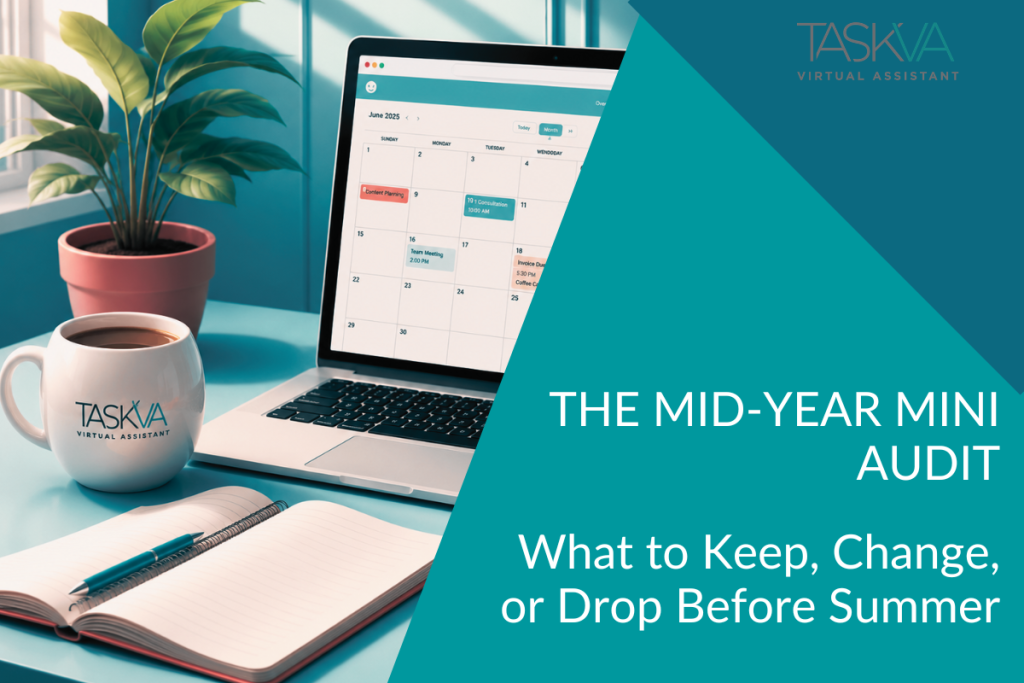
The Mid-Year Mini Audit: What to Keep, Change, or Drop Before Summer

Tammy

Somehow it’s already almost summer…don’t blink or you might miss it!

Most business owners right now are feeling two things at the same time: surprised by how fast the year is moving and slightly overwhelmed by everything still sitting on your plate.

The end of May is the unofficial summer kickoff, and one month closer to the end of the first half, a time when business owners start talking about massive resets, complete overhauls, or dramatic productivity plans that require waking up at 4 AM and color-coding 17 spreadsheets. I’m going to suggest something much simpler.

Before summer schedules, vacations, distractions, and shifting routines fully kick in, this is a good time for a quick business audit. Not to judge yourself, or panic. And definitely not to rebuild everything from scratch.

But just a simple and honest look at what’s helping, what’s creating business noise, and what quietly needs to change.

The Three-Column Mini Audit

This is actually a simplified audit exercise I walk my clients through, and they’re often surprised by what they uncover once they stop focusing only on the urgent problems and start paying attention to the patterns behind the scenes. I've even included examples from various audits.

So, grab a notebook, open a document, or use the back of that random notebook already sitting on your desk (a napkin works just as well), and create three columns:

KEEP DOING these are the things actually working well right now.

IMPROVE - What’s functional, but still creating unnecessary drag?

LET GO - What’s no longer serving your business, your schedule, or your sanity?

Now let’s walk through a few areas you can review:

1. Marketing

Marketing is one of the easiest places for business owners to create unnecessary overwhelm. Especially when you feel pressure to be everywhere, post constantly, follow every trend, and somehow still run an actual business.

Instead of asking “What should I add?” to an already bloated system, ask “What’s already working?” and fill out your columns:

KEEP DOING: IMPROVE: LET GO:
content that creates conversations inconsistent posting schedules platforms draining energy with little return
platforms where your audience actually engages unclear calls-to-action forcing content styles that don’t sound like you
referral relationships scattered branding comparing your business to people selling “overnight success”
newsletters people consistently open overcomplicated workflows
educational content that feels natural to write

You will soon find that not every marketing strategy deserves your time.

2. Administrative Tasks

All the little nooks and crannies where business noise loves to hide. Tiny repetitive tasks, scattered files, inbox clutter, scheduling back-and-forth, and all those manual processes that somehow eat entire afternoons.

Individually, they are small, probably not even visible. But together? Exhausting.

KEEP DOING: IMPROVE: LET GO:
systems that save time consistently inbox organization “I’ll remember it later”
organized workflows file naming systems random sticky-note systems
templates and automations recurring task tracking digging through folders every time you need something
routines that reduce mental clutter follow-up processes

Your business should not feel heavier than it needs to.

3. Client Processes

I was surprised to find out that many of my clients didn’t realize how much stress comes from unclear or inconsistent client workflows. Below is the feedback I received when I asked them to work through it:

KEEP DOING: IMPROVE: LET GO:
communication systems that work delayed follow-ups clients who consistently ignore boundaries
onboarding steps clients respond well to scattered project communication chaotic workflows you secretly dread
clear expectations and boundaries unclear timelines saying yes to projects that create more stress than value
repeatable workflows manual onboarding steps

The smoother your systems feel for clients, the smoother they feel for you too.

4. Time Use

This section reveals how many Time Vampires™ you have, such as task-switching, distractions, unnecessary meetings, reactive work, or constantly checking notifications.

KEEP DOING: IMPROVE: LET GO:
focused work blocks calendar organization multitasking everything
routines that help you stay organized batching similar tasks overbooking your calendar
boundaries around your schedule project planning treating every task like an emergency
systems that simplify your week realistic scheduling

This isn’t about becoming perfectly productive every second of the day; it’s about noticing where your energy is going. Busy and productive are not always the same thing.

5. Cybersecurity Habits

You might be wondering why I added this section to a business audit; because cybersecurity problems rarely start with dramatic attacks. They usually start with overlooked habits.

KEEP DOING: IMPROVE: LET GO:
password managers password organization reused passwords
multi-factor authentication access management sharing logins casually
software updates phishing awareness postponing security updates indefinitely
secure backups documenting critical logins

Small security habits protect business momentum more than most people realize.

6. Boundaries

This may be the most important category of all because business owners are often incredibly generous with their time, energy, availability, and emotional bandwidth until burnout quietly shows up in the background.

KEEP DOING: IMPROVE: LET GO:
boundaries protecting your focus response expectations guilt around resting/self-care
realistic office hours workload management being available 24/7
intentional breaks saying no sooner trying to carry everything alone
protecting personal time separating urgency from pressure

Your business should support your life, not consume it entirely.

A mid-year business audit is not about perfection; it’s about awareness.

Sometimes the most productive thing you can do is simplify the way you work, not by adding more, resetting every quarter, or chasing another complicated system. Just reduce the business noise that’s quietly draining your momentum.

It’s simple. Start small. Keep what’s working. Improve what needs attention. Let go of what’s making business harder than it needs to be.

Ready to create stronger systems and smoother momentum before summer?

Book a free 30-minute Strategy Session with me if you’d like help organizing workflows, reducing operational chaos, or creating calmer systems behind the scenes; I’d love to help.

The Mid-Year Mini Audit For Your Business Read More »

operational efficiency for small businesses

Spring Clean Your Business Operations (Not Just Your Closet)

operational efficiency for small businesses

By the time late March rolls around, something shifts. Spring begins quietly nudging us to reset.

The windows start opening again. Closets get cleaned out. Papers start piling up on the kitchen table as we try to decide what to keep, what to toss, and what we should probably have dealt with months ago.

Spring cleaning is practically a seasonal ritual. But while many people are busy organizing their homes, far fewer take the time to do the same with their businesses.

And the truth is, the end of the first quarter is one of the best times to do exactly that.

Businesses grow in layers. Each quarter introduces new tools, new ideas, and new adjustments.

→ A software trial gets added.
→ A workflow gets tweaked.
→ A temporary workaround becomes the permanent solution.

None of it seems like a big deal at the time. But after a few months, a business's backend can start to feel heavier: more steps, more tabs open, and more to remember.

It's not chaos, but it's not quite streamlined either.

That's why Spring cleaning your business operations isn't about fixing problems-it's about removing friction.

Each Spring, we talk about refreshing different parts of a business:

First came the marketing side—looking at how your message, outreach, and visibility might benefit from a seasonal reset. (If you missed it, I shared a few ideas in "Spring into Action: Revitalize Your Marketing Strategy.”)

Then we turned to the financial side, because clarity around revenue and expenses is always worth revisiting. (That's where "Spring Cleaning Tips for Your Business Finance" came in.)

Now I'm continuing the series by looking at something that supports both of those areas:

Operations.

Because even the best marketing and the healthiest financial picture can start to feel chaotic if the operational structure behind them isn't clear.

Where Operational Clutter Shows Up

Operational clutter rarely announces itself. It appears quietly in places like:

  • The project management tool that only half the team uses.
  • The shared folder structure that made sense a year ago now feels confusing.
  • The spreadsheet that started as a quick solution slowly became essential.
  • The calendar reminders that multiply because the process itself isn't clear.

Individually, none of them feels like a big deal. But together? They create complexity, friction.

The Cost of "I'll Fix It Later"

Many business owners recognize these issues but postpone addressing them. After all, there are always more pressing priorities:

Client work.
Deadlines.
Growth opportunities.

So the operational cleanup gets pushed to "later."

But the longer small inefficiencies stay in place, the more they become part of how the business functions. People adapt to them. Workarounds become routine. And eventually it becomes harder to imagine a cleaner process.

Spring is the perfect time to interrupt that pattern.

Three Questions Worth Asking

You don't need a full operational overhaul to improve how your business runs.

Sometimes, answering a few thoughtful questions is enough.

  1. What tool or process in my business feels more complicated than it should?
  2. Where do we repeat the same manual step every week?
  3. Which system do we rely on that hasn't been reviewed in months?

Those questions often lead directly to the areas where improvement will have the biggest impact.

Often, eliminating just one or two tools can simplify an entire process.

Small Adjustments Create Momentum

One of the most surprising things about operational improvements is how small they often are.

It might be:

  • Combining two tools into one.
  • Cleaning up a shared drive.
  • Creating a consistent file-naming convention.
  • Clarifying a workflow that everyone interprets slightly differently.

None of these changes feels dramatic, but they remove friction from the daily work of running the business.

And that friction reduction creates momentum.

Why Spring Is the Perfect Reset

The timing of this kind of review matters.

At the end of the year, businesses are usually too focused on closing out financials.

At the beginning of the year, the focus is on new goals and growth plans.

But late March? That's a quieter window.

And, the first quarter has provided real data.

→ You've seen what's working.
→ You've seen what feels awkward.
→ You've noticed where time disappears.

Spring becomes an ideal moment to reset before the rest of the year picks up speed.

A Practical Way to Start

If the idea of auditing your operations feels overwhelming, start with visibility.

  • Look at your tools.
  • Look at your workflows.
  • Look at the processes your business relies on every day.

The goal isn't perfection. It's awareness. And that awareness often reveals opportunities to simplify.

Simple Tool to Help

If you'd like a structured way to review your business systems, I created the Spring Systems Reset Workbook.

It walks through a practical operational audit designed specifically for small business owners.

Inside you'll review:

  • workflow friction
  • subscription and tool usage
  • operational bottlenecks
  • security basics
  • delegation readiness

It's designed to help you see your business operations clearly—without making the process overwhelming.

And did I mention it's FREE!

You can download it here:

Sometimes the most valuable step forward is simply understanding what's happening behind the scenes.

When It's Time for a Second Set of Eyes

Sometimes an outside perspective makes the process easier.

After all, it's difficult to see inefficiencies clearly when you're inside the day-to-day operations of a business.

That's where I often come in.

I work with small business owners to simplify workflows, streamline operations, and build systems that support sustainable growth.

If you'd like a second set of eyes on your business operations, I'd be happy to talk.

Because sometimes the most productive thing you can do is step back, clear the clutter, and move forward with a little more clarity.

Spring Clean Your Business Operations Read More »

small business growth systems

Luck Doesn’t Scale. Systems Do.

How Structure Creates Sustainable Business Growth

operational efficiency for small businesses

March always brings a little extra green into the world. Shamrocks show up in shop windows. St. Patrick’s Day conversations start popping up. And somewhere along the way, we all start talking about luck and hope to find that pot o’ gold at the end of the rainbow.

Lucky opportunities, lucky referrals, lucky timing; There’s nothing wrong with celebrating a little good fortune. Sometimes the right opportunity really does arrive at the right time.

But if there’s one thing I’ve learned from working behind the scenes of small businesses, it’s this: Luck might start momentum, but it never sustains it. The businesses that grow steadily year after year aren’t relying on luck. They’re relying on systems.

And when systems are missing, every opportunity becomes fragile. Structure changes that.

  • A simple follow-up cadence.
  • A documented referral process.
  • A consistent way to track prospects.

Suddenly, growth becomes less about chance and more about intention.

Our Spring Systems Reset Workbook is a great tool for identifying gaps in tracking.

The Quiet Power of a Follow-Up System

Let’s talk about one of the most underestimated systems in business: follow-ups.

Many opportunities don’t disappear because someone said no; they disappear because nobody followed up.

Prospects get busy.
Emails get buried.
Priorities shift.

But when a simple follow-up system is in place, those opportunities don’t vanish. They stay visible.

Healthy businesses usually have some version of this:

  • A prospect tracking system
  • A clear follow-up schedule
  • Notes about past conversations
  • A reminder system for reconnecting

It doesn’t have to be complicated, but it does have to exist. Relying on memory alone is one of the fastest ways to lose momentum.

Referral Growth Is Rarely Accidental

Another area where businesses rely heavily on luck is referrals.

Many owners assume referrals happen naturally, and sometimes they do. But consistent referral growth usually comes from a little structure behind the scenes.

For example:

  • identifying which clients are ideal referral sources
  • periodically checking in with past clients
  • thanking people who send referrals
  • keeping relationships active

These small actions turn referrals from random events into repeatable outcomes. Again, nothing dramatic. Just thoughtful systems.

Systems Create Calm.

Some businesses are constantly reactive:

Things happen as they arise.
Problems are solved in the moment.
Opportunities are handled one at a time.

Other businesses feel calm, not slow or stagnant, just steady.

The difference usually comes down to structure:

  • Clear onboarding workflows.
  • Organized client information.
  • Reliable communication processes.

When these systems are in place, the business owner doesn’t have to carry everything on their mind. And that changes everything.

Secure Onboarding Is a System Too

One system often overlooked is client onboarding.

When a new client comes in, the excitement of the opportunity can sometimes overshadow the need for structure. But onboarding is the first step to building trust.

A simple onboarding system might include:

  • a consistent intake process
  • secure document sharing
  • clear expectations for communication
  • documented next steps

Without this structure, every new client requires reinventing the process.

With it, the experience becomes smooth and professional every time.

Prospect List Discipline

As I was writing this, I thought of another simple but powerful system: maintaining a prospect list.

Not just a vague mental note of who you’ve spoken with, but an actual list.

  • Names.
  • Companies.
  • Dates of conversations.
  • Next steps.

A prospect list is one of the easiest systems to build and one of the most impactful. Once opportunities are visible, they become manageable.

When they live only in memory, they’re much easier to lose.

The Spring Systems Reset Workbook helps audit whether prospects are tracked effectively.

You know how some companies seem lucky all the time? Maybe they were-at the beginning.

But if that company is still thriving years later, it’s almost certainly because systems took over where luck left off.

Behind the scenes, there are usually:

  • documented processes
  • organized information
  • structured workflows
  • reliable follow-ups

The things that make growth sustainable.

Luck might open the door. Systems keep it open.

If you want to understand how much of your business relies on luck versus structure, ask yourself one question:

What important process in my business currently depends on memory?

Follow-ups?
Referrals?
Client onboarding?
Prospect tracking?

Once you identify that area, you’ve also identified the next opportunity to strengthen your systems.

Look for areas where things feel inconsistent or harder than they should be:

  • The places where tasks keep repeating.
  • The places where details get forgotten.
  • The places where everything seems to depend on you remembering.

Those are usually the places where a simple system can make the biggest difference.

And often, one small improvement can make everything feel lighter.

Ready to Audit Your Systems?

If this blog made you realize that parts of your business might be running more on luck than structure, you’re not alone.

Many business owners reach a point where a little operational clarity can make a big difference.

That’s exactly why I created the Spring Systems Reset Workbook.

It walks you through:

  • identifying potential bottlenecks
  • reviewing workflows
  • auditing subscriptions and tools
  • checking security and access
  • creating a simple 30-day reset plan

Sometimes the fastest way to make a business feel lighter is to see it more clearly.

Luck Doesn’t Scale Read More »

delegation strategy for small business

You Don’t Need More Hours — You Need Fewer Bottlenecks

operational efficiency for small businesses

Somewhere along the way, we were told that in order to maintain and grow a business, you need:

  • More hours
  • More hustle
  • More coffee
  • More late nights

And if things feel tight? Work harder!

But here’s what I see every single week behind the scenes of small and mid-sized businesses: It’s not a time problem. It’s a bottleneck problem. And most of the time? The bottleneck is sitting in the CEO chair.

Before you close this tab — hear me out. This isn’t about blame. It’s about clarity.

If your business only functions when:

  • You personally reply

  • You personally approve

  • You personally track

  • You personally follow up

Then you don’t have a system, you have effort.

Effort works — until it doesn’t.

And effort becomes exhaustion when everything funnels through one person...YOU.

Let me ask you something simple:  If you stepped away for five days, what would stall?

Be honest.

→ Would onboarding pause?
→ Would invoices sit unsent?
→ Would leads cool off?
→ Would tasks pile up?

If the answer is “yes” to more than one of those, you are not running a scalable structure; you’re manually holding it together.

If that question resonates, the Spring Systems Reset Workbook walks you through this step-by-step.

If It Only Works When You’re Exhausted, It’s Broken

This is the quiet truth no one says out loud.

A system that only works when you are:

  • Overextended
  • Micromanaging
  • Double-checking everything
  • Working at 10 PM

Is not a strong system, it’s a fragile one. And fragile systems crack under growth.

The irony? Most business owners tell me they want more clients, more referrals, more traction. But they’re already stretched managing the ones they have.

Growth without structure doesn’t feel exciting. It feels chaotic.

There’s a dangerous mindset floating around: “I’ll delegate when I’m bigger.”
No! You delegate so you can become bigger.

Delegation is not about giving up control.
              It’s about protecting your energy and your focus.

There are only a handful of things in your business that truly require you:

• Vision
• Decision-making
• Relationship building
• High-level strategy
• Revenue direction

Everything else is process, and process can be documented, streamlined, and supported.

If you’re spending your highest-value hours:

• Formatting emails
• Tracking follow-ups
• Managing inbox overflow
• Updating spreadsheets
• Posting content

You’re misallocating leadership time.

If you’re unsure what belongs on your plate and what doesn’t, that’s exactly what I help clients sort through in a Systems Strategy Call.

Let’s simplify this.

If someone else handled this task:

  • Would revenue collapse?
  • Would your reputation suffer?
  • Would the business stop?

If the answer is no…that task does not require you.

It may require oversight.
It may require clarity.
It may require documentation.

But it does not require your daily energy.

And here’s where many business owners get stuck:

“It’s just faster if I do it.”

Maybe...Today.

But “faster today” often becomes “forever dependent,” and dependency is the opposite of scale.

When everything flows through you:

  1. Decisions slow down.
  2. Team confidence shrinks.
  3. Follow-ups get inconsistent.
  4. Revenue becomes reactive.
  5. Burnout creeps in quietly.

You might still look productive. But underneath? The system is straining. And the longer it goes unchecked, the harder it becomes to untangle.

This is why I encourage clients to audit their operations before chasing new growth.

You don’t reinforce the roof while the foundation is unstable. You strengthen the base.

And if you want a structured way to audit this yourself first, download the Spring Systems Reset Workbook here.

You are the bottleneck. That’s not sarcasm. That’s math.
However, the moment you remove just one recurring task from your plate, capacity opens.
The moment you document one process, clarity increases.
The moment you stop being the single gatekeeper, momentum improves.
This isn’t about outsourcing everything overnight. It’s about subtraction.

Growth begins with subtraction.

  1. Remove friction.
  2. Remove redundancy.
  3. Remove dependency.
  4. Then scale.

Let’s do a simple exercise. List the last 10 tasks you completed.
Now circle the ones that required:

  • Strategic decision-making
  • Relationship management
  • Revenue-level thinking

How many did you circle?

If the answer is fewer than five, your time allocation needs adjusting. And to be clear, time allocation is not a productivity hack,it’s a leadership decision.

You don’t need more hours. You need cleaner systems.

Ready to Remove the Friction?

If this blog felt uncomfortably accurate, that’s not a problem.

It’s an opportunity.

Start with the Spring Systems Reset Workbook and identify where friction is hiding.

And when you’re ready to move from awareness to action, book a Systems Strategy Call.

We’ll look at your workflow, your delegation readiness, and your operational structure — calmly and clearly.

Growth on purpose feels lighter.

                             And it starts by removing the bottleneck.

You Don’t Need More Hours — You Need Fewer Bottlenecks Read More »

Scroll to Top